Lists, search, and export
An administrator configures each Workspace list as a saved query. The query sets its rows, columns, search fields, filters, default sorting, and placement.
- For
- Workspace users finding, exporting, or assigning permitted finance records.
- Requires
- Access to the saved query and separate export or bulk-operation permission for those actions.
- Available when
- An administrator publishes the query to Workspace, Global Search, or the relevant embedded record view.
- Before you begin
- Choose the correct list, date basis, filters, and user scope; permanent query restrictions still apply.
- Expected result
- The list, search, export, or bulk action contains only the records allowed by the query and current access.
Available finance record types
A saved query can list people, loan applications, loans, loan portfolio figures, payments, interest income, users, permission groups, or intermediaries. What appears in your menu depends on configuration and access.
Search and filter a list
Use the search fields supplied above the list. Additional column filters can support:
- text matching or exact matching;
- number and date equality, minimum, maximum, or range;
- one or several values from a list;
- assignee selection restricted to relevant permission groups.
Filters work together with the query's permanent conditions. Clearing your visible filters does not remove the administrator's conditions or access restrictions.
Date-based views
Loan Portfolio and Payments views can ask for Date On. This means the figures are calculated or selected as at that date. Interest Income uses a month or date range. Always record the selected date when sharing totals, because today's result can differ from a historical view.
Export
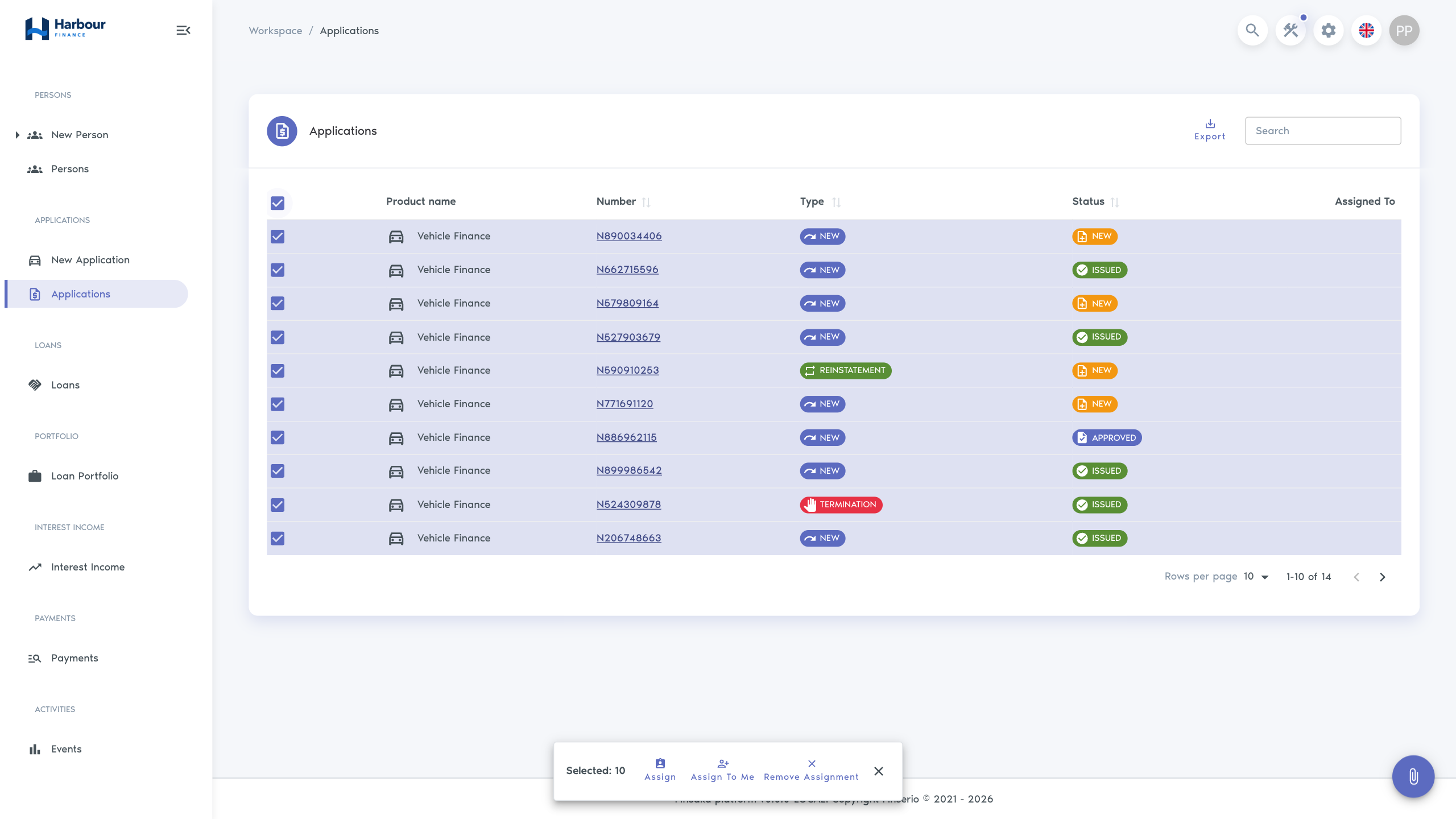
Select the export action to download the permitted results as an Excel workbook. The export uses the current saved query, date selection, and user filters. Check the filter summary and row count first.
An export is a copy taken at a point in time. It does not update when Finsaku changes and must be handled according to your organisation's data policy.
Bulk assignment
Application and loan lists can allow one operation across selected rows:
| Action | Result |
|---|---|
| Assign | Set a selected user as assignee. |
| Assign to me | Set the current user as assignee. |
| Remove assignment | Clear the assignee. |
Review the selected count before confirming. If another user changed a record at the same time, Finsaku can report a conflict; refresh the list, inspect the affected rows, and repeat only for records still requiring the change.
Global search
Global search runs queries marked for that location. Select the magnifying-glass control, or press Ctrl+K on Windows or Linux and Command+K on macOS, to open it. It shows a short preview for each configured record type and links to the complete list. Use it to find a known record. Use a Workspace list for an operational queue or report.