Product versions and data collection
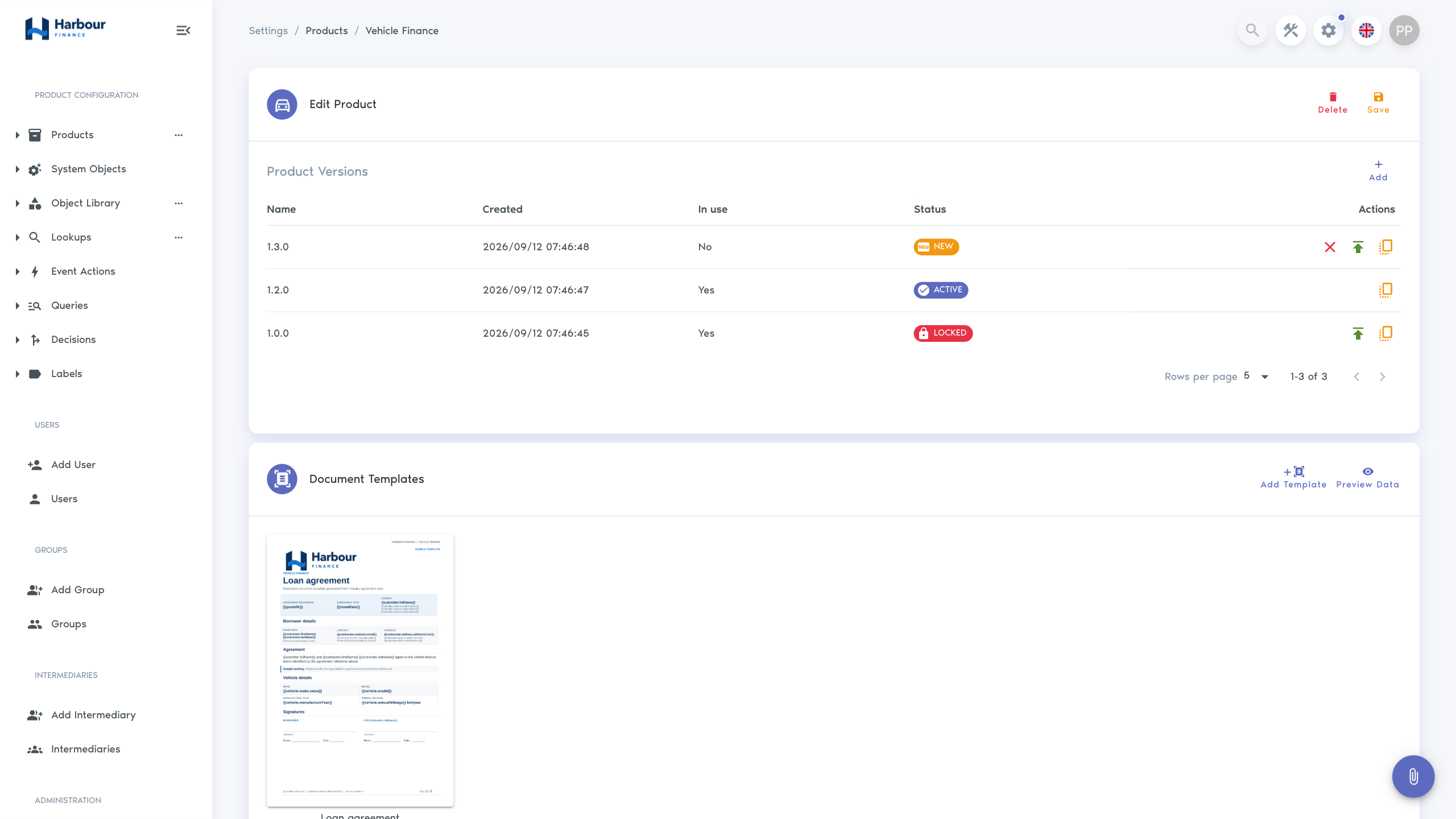
A product version contains the data and presentation rules for a lending product. When product versioning is enabled in General Settings, an administrator can prepare a New version without editing the Active version.
- For
- Product administrators changing collected data and presentation rules without editing the active definition.
- Requires
- Product-version administration permission and a product whose existing definition can be reviewed or copied.
- Available when
- Enable product versions is active in General Settings.
- Before you begin
- Identify affected objects, fields, conditions, summaries, languages, and representative application cases.
- Expected result
- The New version passes data-entry tests before activation, while earlier records keep their original definition.
Version states
| State | Meaning |
|---|---|
| New | Editable working version. |
| Active | Version used for applicable new product work. |
| Locked | Version retained as a fixed definition and not editable. |
An active or locked version cannot be edited like a draft. Use Copy to start from an existing definition, then make and test changes on the new version. Activation changes which definition applies going forward; it does not rewrite the data already stored on earlier records.
Product-version state transitions
Version content
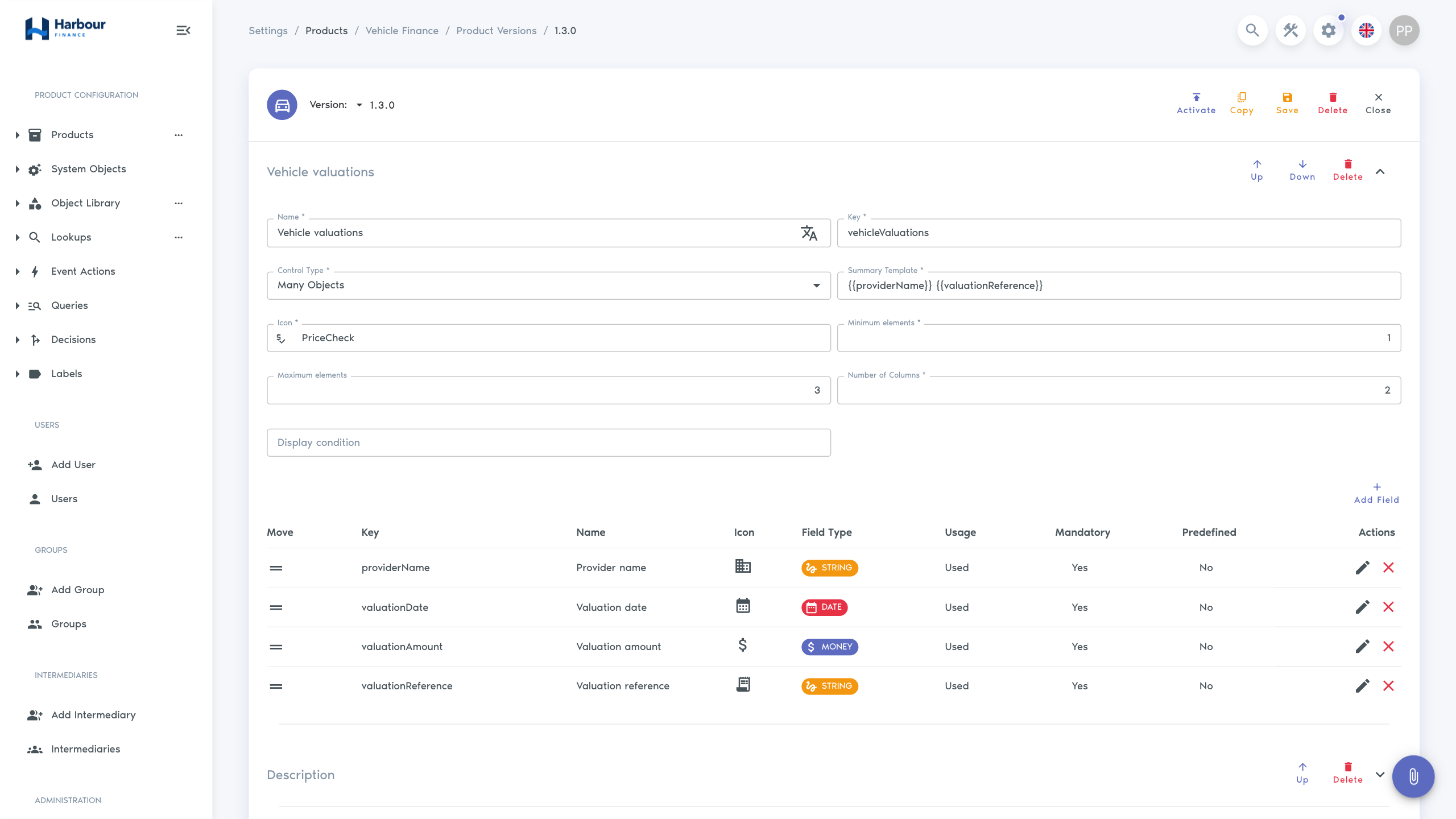
A version has a name and can define a summary template. It also contains ordered object definitions and their fields. Administrators can attach a system object or reusable object from the Object Library and control its position.
System Objects are built-in platform structures with a fixed purpose and protected identity. Object Library items are tenant-created structures intended for reuse. The product version selects and orders the definitions required by this product; it does not turn a library object into a system object. Follow Configure collected data for a worked vehicle-finance setup.
The order determines how users move through configured data. Keep high-frequency and identity information early, and place specialist sections after the basic application terms. Use display conditions for genuinely conditional questions rather than creating many nearly identical product versions.
Single and repeated sections
An object can use:
| Control | Use |
|---|---|
| Single Object | One structured group, such as the borrower's current employment. |
| Multiple Objects | Repeated groups, such as several income sources or liabilities. |
For repeated groups, set minimum and maximum item counts. The layout supports one to ten columns. Use the fewest columns that keep the section readable at desktop and narrow widths.
Before activation
Test a complete application with realistic values. Check mandatory and conditional fields, repeated-section limits, field translations, summary text, calculator inputs, document output, query columns, decision conditions, and external payloads. Retain stable keys when a field keeps the same business meaning.
See Objects and fields for every available field type and option.