Event actions
An event action responds to a platform event by calling a webhook, generating a document, sending email, or sending SMS. A product event action uses product context. A tenant-level action applies across the tenant.
- For
- Administrators configuring event-driven documents, messages, or webhooks.
- Requires
- Event-action administration permission and the provider, template, or endpoint required by the action.
- Available when
- The selected event exists and every dependent integration is enabled.
- Before you begin
- Prepare a representative event, a narrow condition, expected payload values, and a safe test destination.
- Expected result
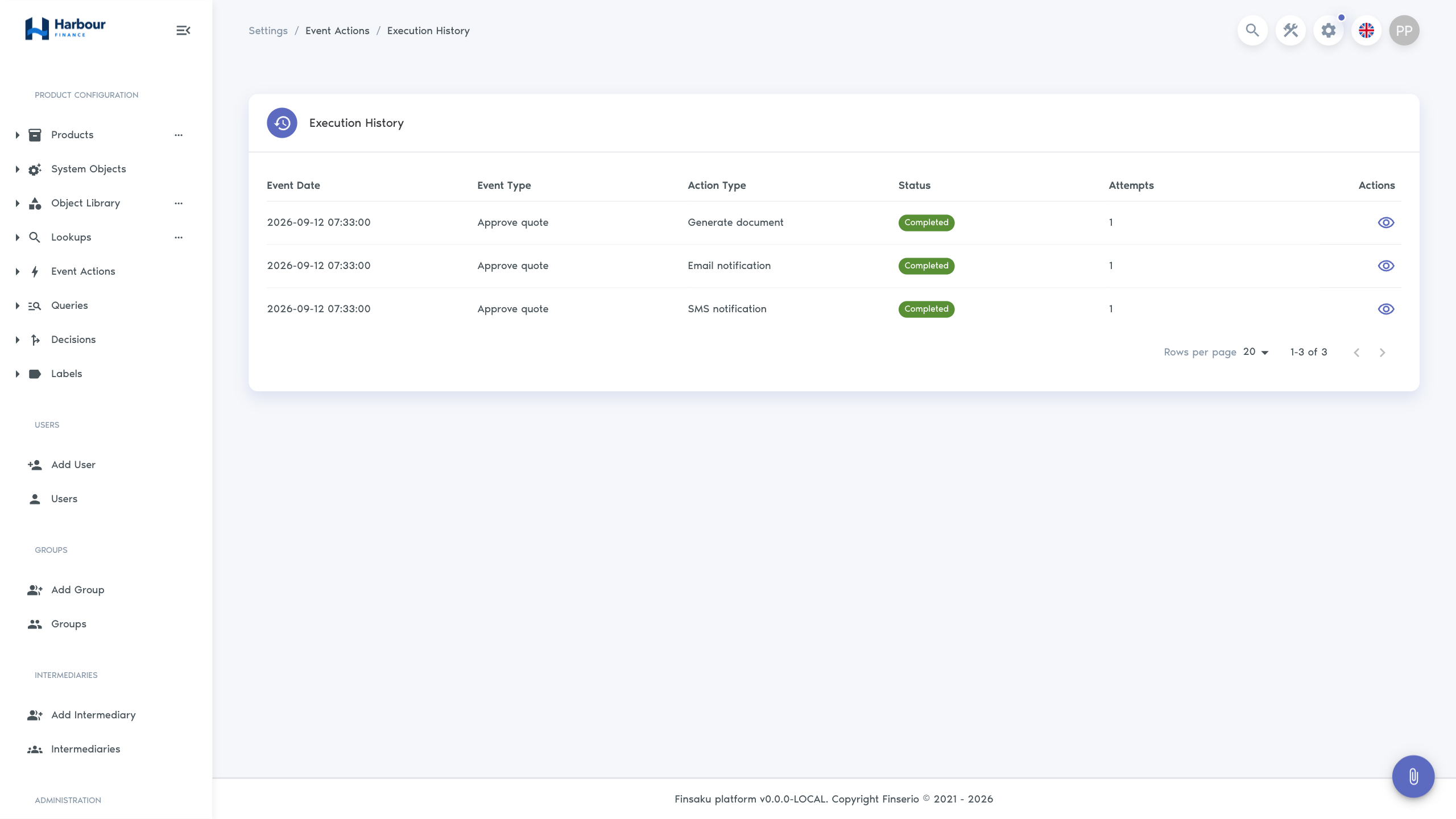
- A matching event creates a Completed or Failed execution record; a non-match performs no action.
What an event action changes
An event action handles a consequence of an event. It does not choose whether an application should be approved or rejected. That application-state logic belongs to a configured decision or an authorised user operation.
The triggering application, loan, payment, or user keeps its own status. The event action also has an execution status, such as Completed or Failed. A failed email or webhook therefore needs an execution-history investigation even when the application or loan operation succeeded. See Core concepts and statuses.
Event types
Available finance events cover:
- application creation, save, reinstate, inquiry, expiry, rejection, and approval;
- loan issue, change, cancel, renew, expiry, reinstate, rewrite, extension, termination, cession, write-off, repayment, and action update;
- person creation and update, intermediary changes, and note changes;
- user creation and update;
- payment allocation, loan recalculation, payment deletion, and instalment addition or deletion.
The configuration screen may use the shared platform terms Quote for application and Contract for loan.
Event-action execution
Action types
Webhook
A webhook can use the platform's standard API format for supported person, user, and application events, or a custom request. Standard mode provides a specification and derives the request path from the event. Custom mode accepts a URL.
Options include GET, POST, PUT, PATCH, DELETE, HEAD, or OPTIONS; expected response status; multiple request headers; and a Handlebars request template. Use the sample payload and resolved preview to check the actual request. Authentication values in headers must be treated as secrets.
Generate document
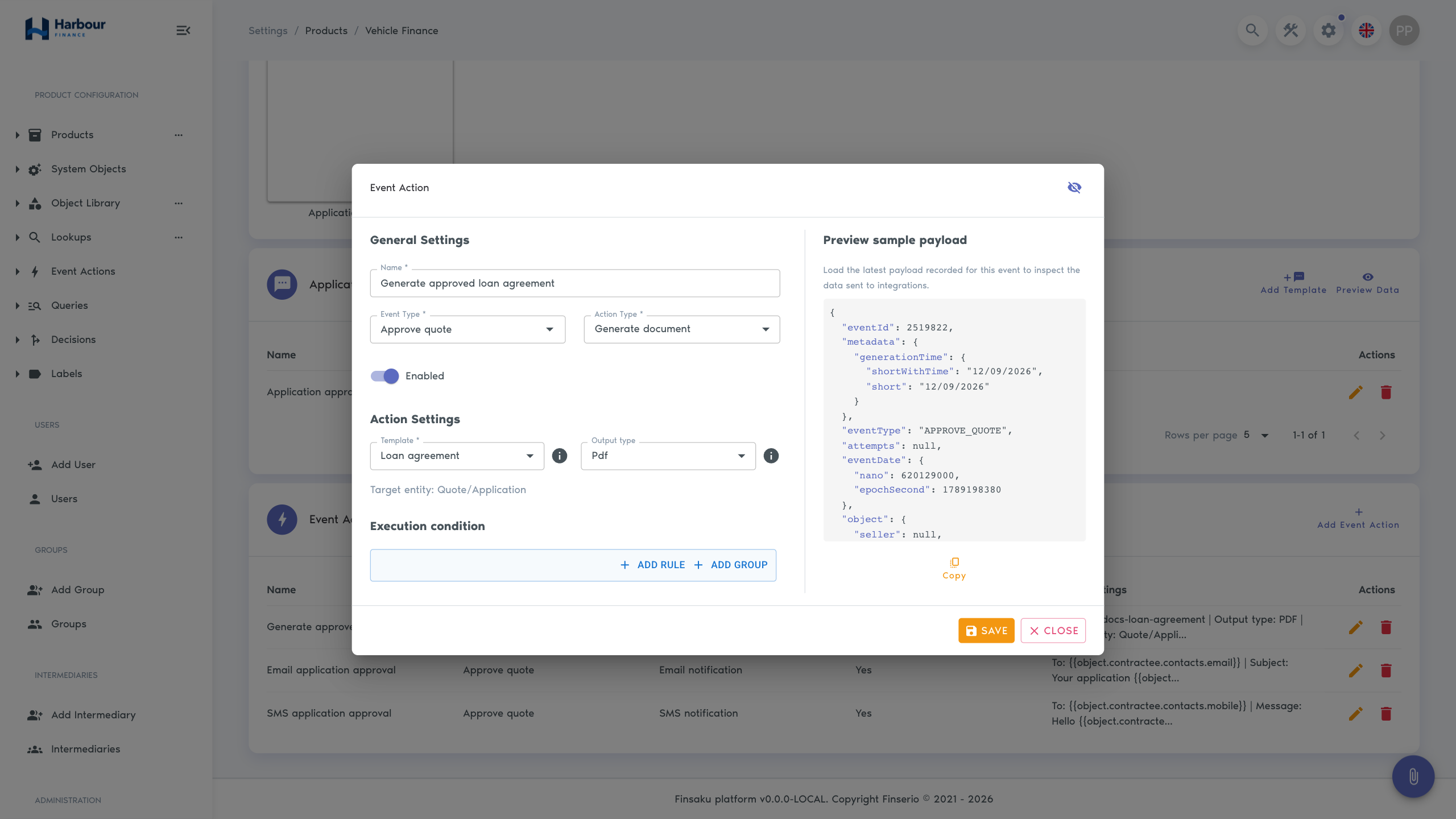
This action is available for supported product application and loan events. Select the document template, PDF or DOCX, and the shown target entity. It requires an enabled Document Generation integration and is product-scoped because it uses product templates.
Email notification
Configure To, provider, optional CC/BCC, subject, message, and generated document attachments. Recipients and content can use Handlebars fields from the event payload. It requires an enabled Email provider; generated attachments also require Document Generation.
SMS notification
Configure recipient, enabled SMS provider, and message. The editor provides a 160-character guide and allows dynamic fields. Check the resolved message because substituted values can change its length and content.
Conditions and previews
Conditions limit which matching events run the action. Start with a narrow condition and representative sample payload. The payload panel can show source data and the resolved template; inspect both so that a technically valid template is also correct for the intended person, application, loan, or payment.
Configure and enable an event action
- Configure and save the action disabled.
- Test its conditions and resolved payload with non-sensitive sample data.
- Confirm provider credentials, endpoint, recipient, and template dependencies.
- Check how the external service handles retries and duplicate requests.
- Enable the action and observe its first executions.
Execution history records Scheduled, Pending, Running, Completed, or Failed status; attempts; source event; affected record references; payload information; and errors. Active rows refresh while work is still running. Processing failures can receive up to three automatic retries. The current interface does not provide a manual Retry button: when an execution remains Failed, inspect Last Error, confirm whether the external service received the request, correct the dependency, and follow the organisation's recovery procedure before causing another qualifying event. Design receiving webhooks and downstream operations to recognise the same event more than once.
Use Activity and audit history for an investigation sequence and for the limits of what each history proves.