Application overview
A loan application records the requested terms, supporting information, and lending decision before a loan exists.
- For
- Origination users creating and maintaining a lending request.
- Requires
- Application-create permission, a correct borrower record, and a selectable lending product.
- Available when
- The tenant has an applicable product and the user can open New Application.
- Before you begin
- Search for the borrower, collect the required terms and product information, and confirm the intended product.
- Expected result
- The saved application has the correct borrower, product, terms, calculation, number, status, and available next action.
Create an application
- Open Workspace → New Application.
- Choose the lending product.
- Select the borrower. Create the person first if no correct match exists.
- Enter the application and submitter information required by your process.
- Enter the requested amount, term or number of payments, interest rate, currency, dates, and other required product fields.
- Review the calculation.
- Select Save to keep the application or the available processing action to move it forward.
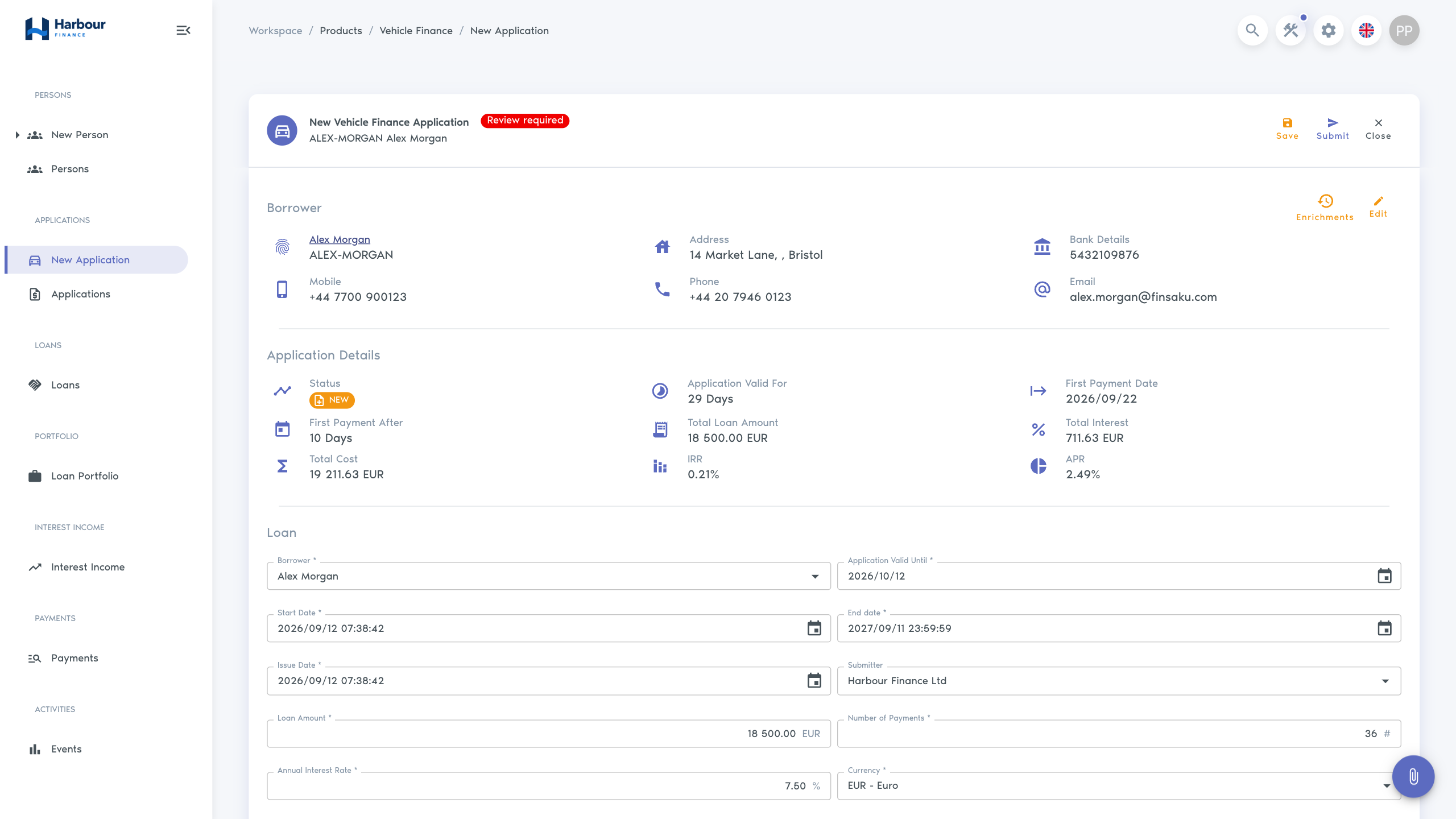
What an application can contain
| Area | Purpose |
|---|---|
| Basic details | Product, borrower, submitter, application date, and application number. |
| Terms | Amount, rate, currency, term, payment date, commission, and configured lending fields. |
| Calculated summary | Principal, interest, cost, periodic payment, APR, IRR, and first-payment information where applicable. |
| Payment schedule | Expected instalments produced by the calculator. |
| Product information | Configured objects such as employment, affordability, security, or consent data. |
| Processing | Current status, assignee, decisions, and available actions. |
| Supporting record | Notes, labels, documents, emails, SMS messages, related views, and history. |
Required sections and fields differ by product. Information can also appear or become mandatory only when another answer makes it relevant.
Save, process, and lend
Saving stores the work without making the lending decision. Processing actions change the formal application state. Lend is the final operational step: it changes the application to issued and creates the loan record.
Follow Process a first application for the complete borrower-to-loan path. Read Terms and calculation before changing financial inputs, and Review and processing for statuses and actions.