Find and create people
A person record stores either an individual's details or a legal organisation's details. Applications and loans can use that record as the borrower, submitter, payer, intermediary, or another participant.
- For
- Workspace users finding or creating a borrower or other participant.
- Requires
- Person list or search permission and create permission when no correct record exists.
- Available when
- A Persons saved query or permitted add-person action is available in Workspace.
- Before you begin
- Search by identifying code and name, then compare contact details before deciding to create a record.
- Expected result
- One correct private- or legal-person record is available for the application, loan, payment, or affiliation.
Find an existing record first
Open Workspace → Persons and search by name or identifying code. Depending on the saved view, you may also be able to search by email, telephone number, or another configured field.
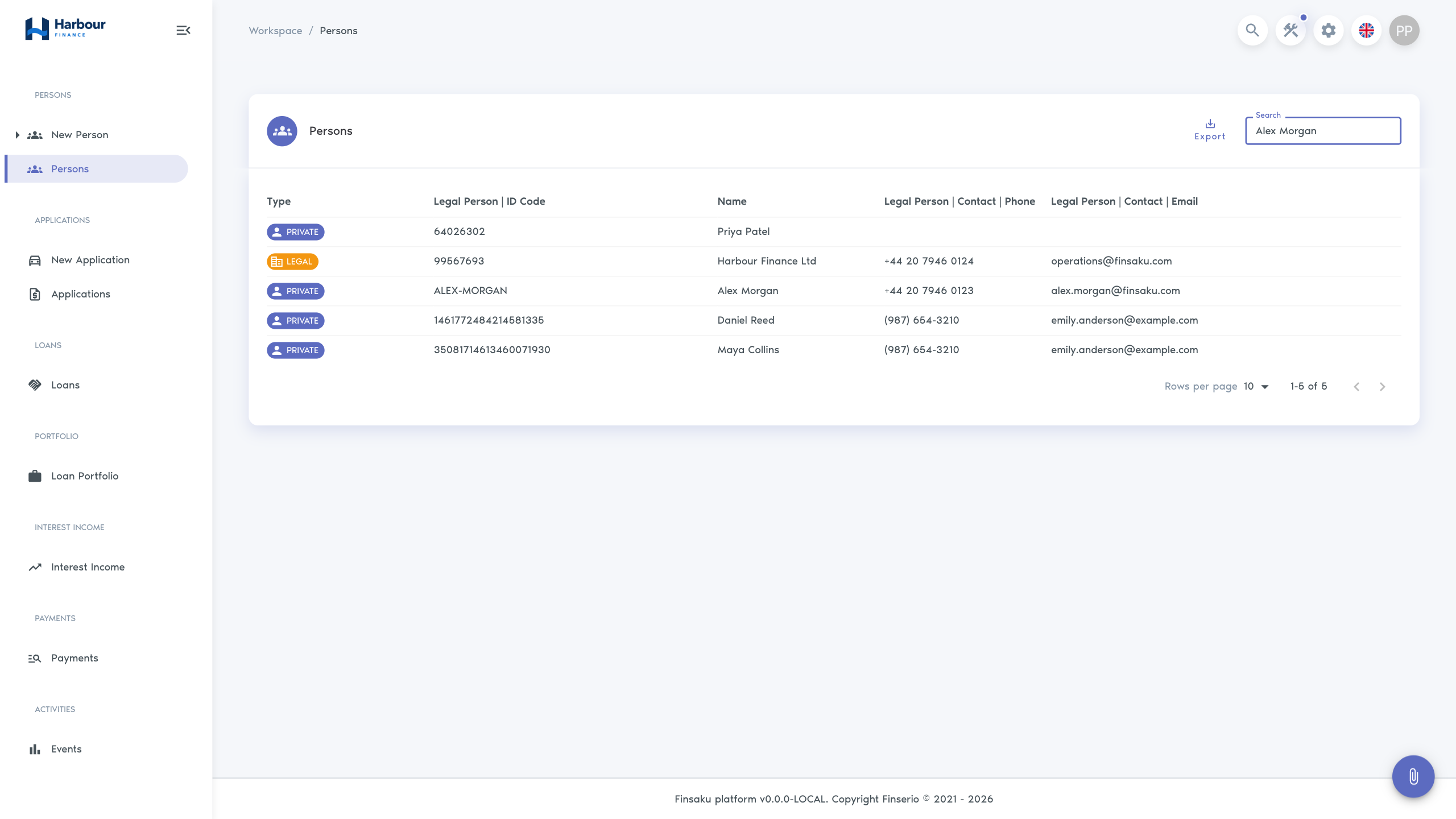
Check for an existing match before creating a record. Duplicate people divide applications, loans, documents, and history between separate records. Compare the identifying code first, then check the name and contact details.
Create a private person
Open Workspace → New Person → Private person and complete the required fields. Standard information can include:
- first name and last name;
- personal or customer code;
- address lines;
- mobile and telephone numbers;
- email address;
- bank account;
- additional fields configured for your organisation.
Create a legal person
Open Workspace → New Person → Legal person for a company or other organisation. Standard information can include the full legal name, registration or customer code, contact details, address, and bank account.
Use the legal identity from the authoritative source used by your organisation. Do not put an individual into a legal-person record merely because they represent a company.
Before saving
Confirm that the party type, identifying code, name, and contact details are correct. Required fields are marked in the form. Validation messages identify missing or invalid values. Select Add to create the person, then confirm that the saved record shows the intended type, name, and identifying code.
Opening the saved record gives access to its full details, labels, notes, enrichment results, related records, and history. See Person records.