Loan changes and closure
Use a loan action when the agreement must change after lending. This preserves the relationship between the original loan, the requested change, and the resulting terms.
- For
- Authorised loan-servicing users changing or closing an existing agreement.
- Requires
- Access to the loan and permission for the selected action, plus any product-specific fields and documents.
- Available when
- The loan status permits the action and no unfinished action application is linked to the loan.
- Before you begin
- Confirm the loan, action type, reason, effective date, changed terms, calculation effect, and required approval evidence.
- Expected result
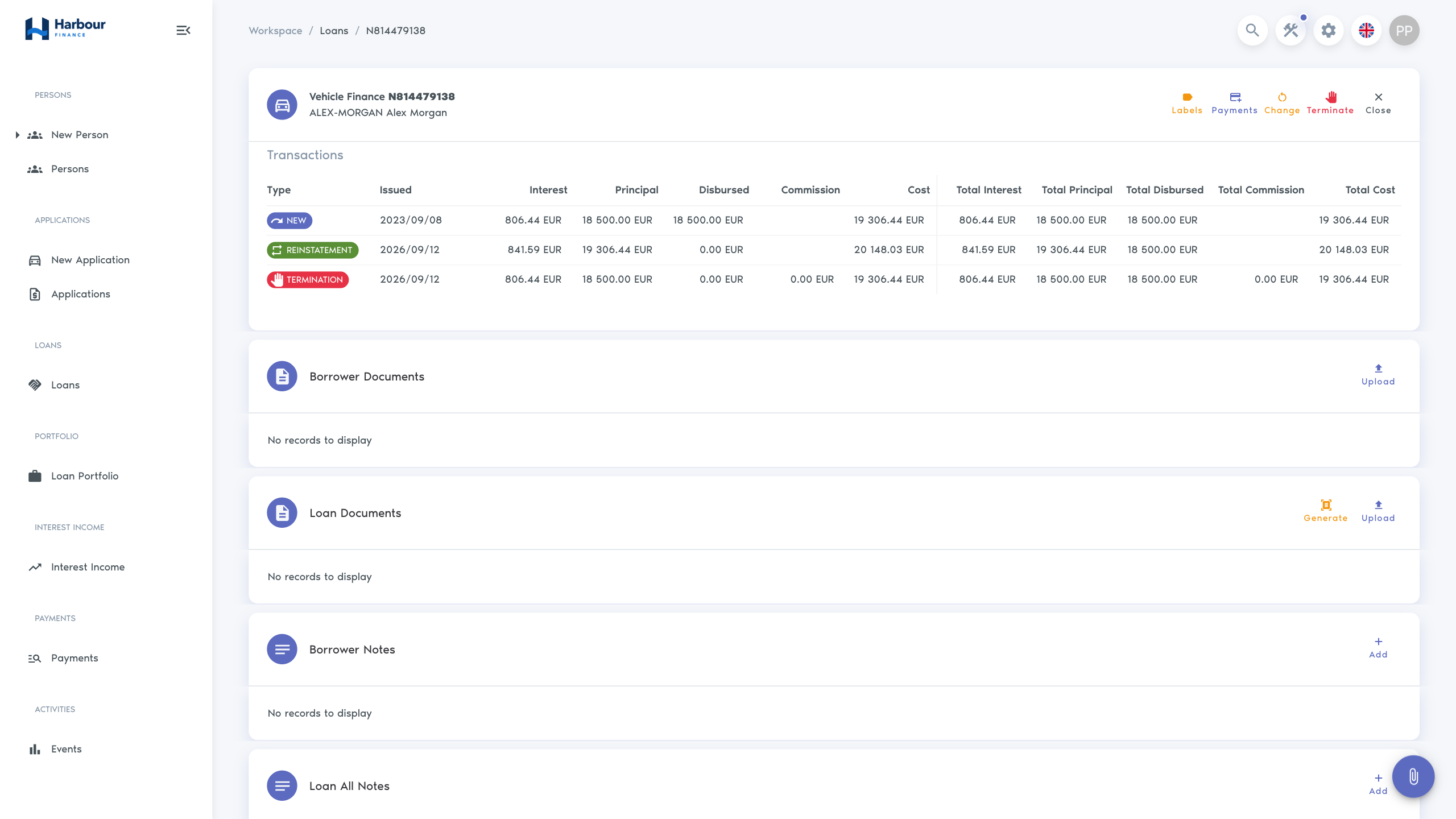
- The completed action updates the same loan, its payment schedule, transactions, and history. Termination leaves it Terminated; reinstatement returns it to Active.
Available action types
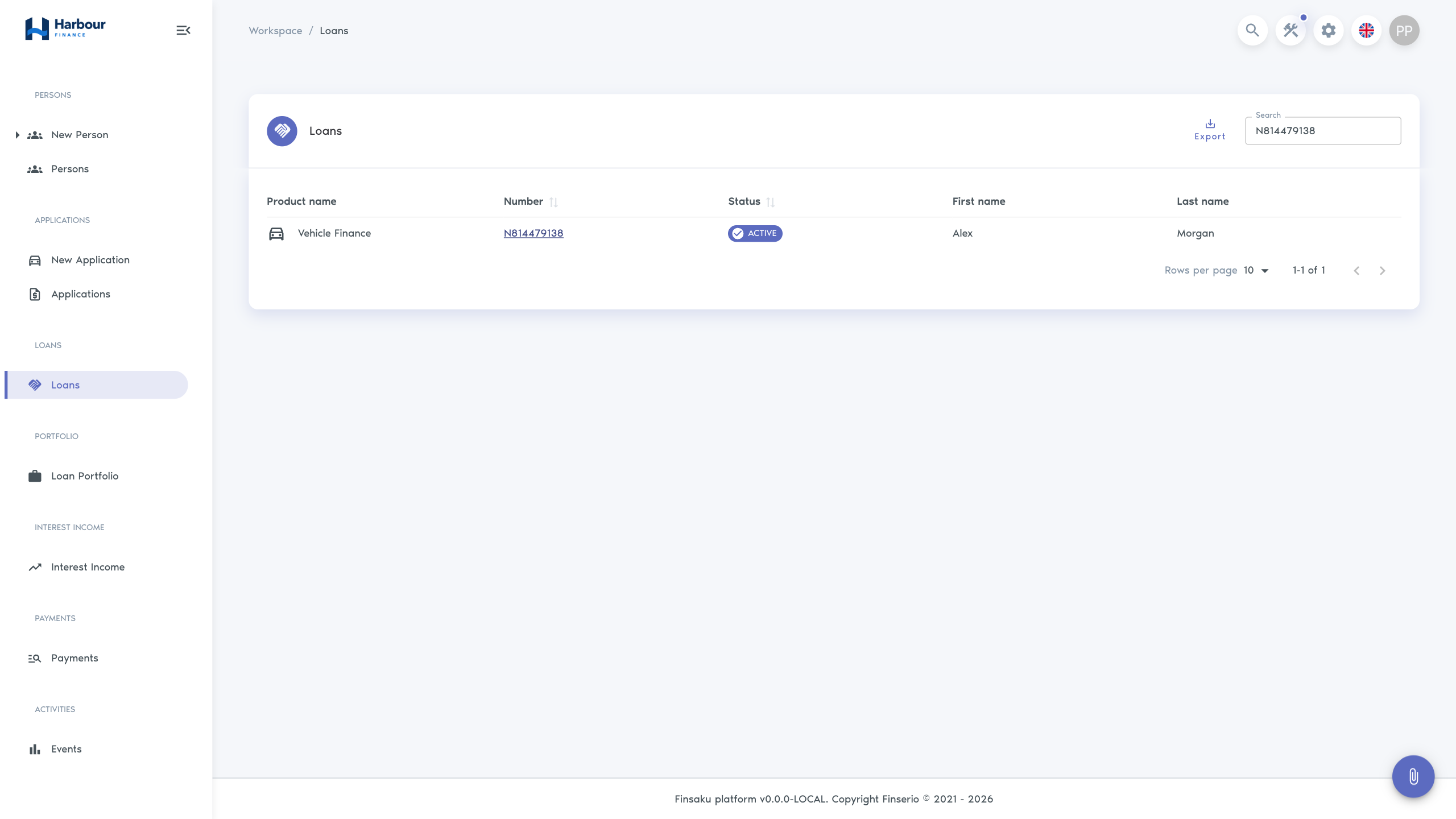
Open Workspace → Loans, find the agreement, and check its status before choosing an action. The current loan page offers these actions when no unfinished action application exists:
| Action | Starting loan status | Purpose |
|---|---|---|
| Change | Active | Amend terms of the existing agreement. |
| Terminate | Active | End the agreement and calculate the remaining amounts due. |
| Reinstate | Terminated | Prepare an application to restore the same loan to Active with a recalculated schedule. |
Processing buttons also require the corresponding application permissions. In particular, both the final Terminate button and Lend on a reinstatement application require permission to lend applications. Product fields, decisions, and the selected calculator affect the information and review needed.
Renew is not currently available for loans; see Loan renewal. Cancel is also absent from the current loan page.
Loan statuses can also reflect expiry, repayment, cession, or write-off. Those results may be produced by payment actions or automation rather than by the visible loan-action menu.
Loan action outcomes
Change a loan
- Open the loan and select Change.
- Enter the effective date and the fields allowed by the product.
- Recalculate and review the changed schedule and financial summary.
- Submit the change application.
- Complete the configured review and lending steps.
- Return to the loan and confirm the new terms and history entry.
A change is not complete just because the draft was saved. Check the action status and original loan after processing.
Terminate a loan
Termination ends the agreement and sets the loan to Terminated. It does not record money received or establish that the balance has been paid. For a payment that settles the loan, use Payments and the Full repayment payment action; see Record payments.
- Open the Active loan from Workspace → Loans. Check the borrower, loan number, recent payments, remaining principal, unpaid interest and costs, deposits, and any pending allocations.
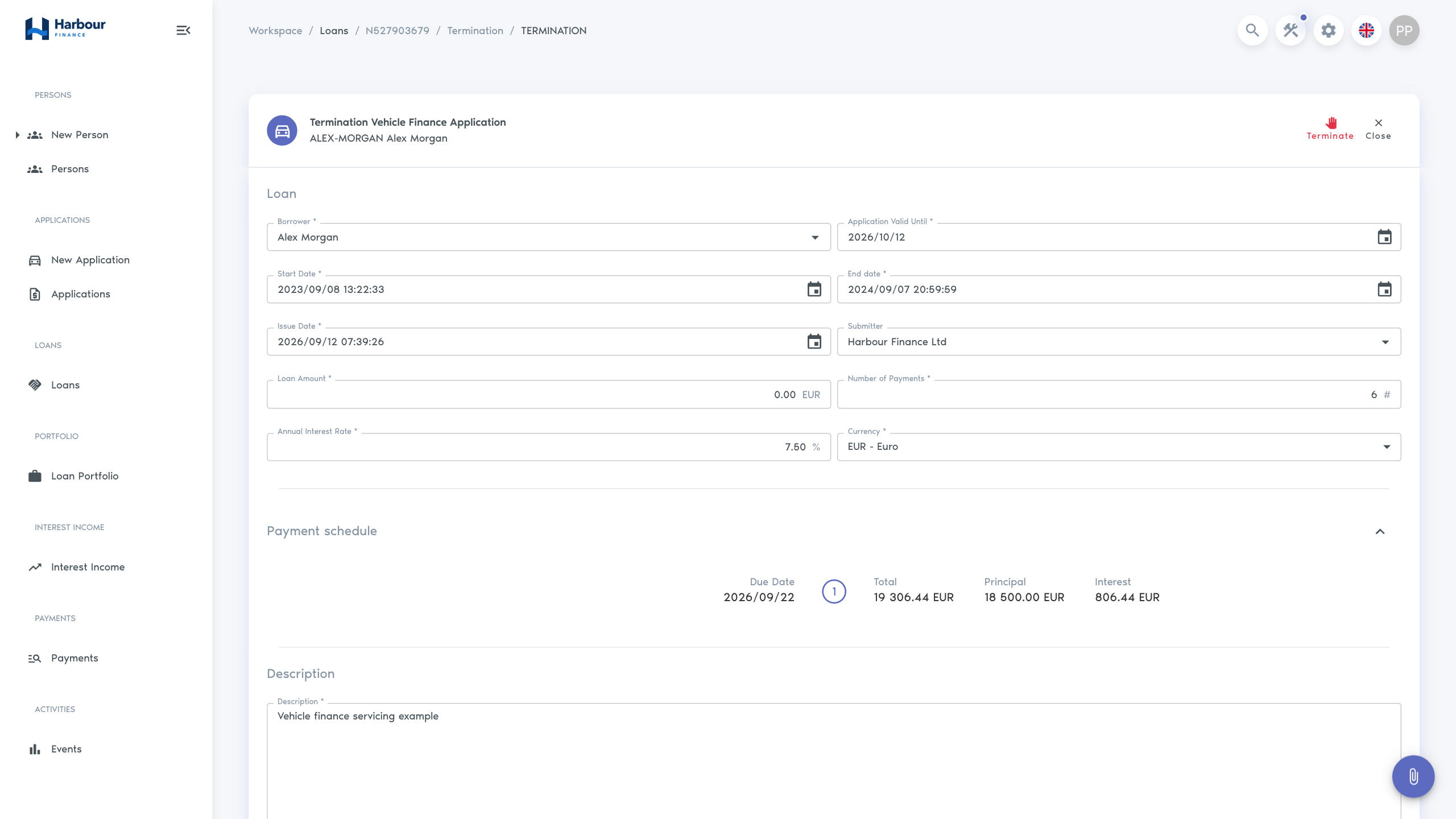
- Select Terminate to open the termination application. Opening the form does not terminate the loan.
- Set Issue Date to the effective date and time of termination. Complete the product's required fields and supporting information. The effective date is used for the closing calculation and becomes the loan's end date when termination completes.
- Wait for the Payment schedule calculation and review its amounts and due dates. Expand the section if it is collapsed. The built-in calculators collect unpaid amounts and accrued interest into a closing instalment due ten days after the effective date; an external calculator can return a different schedule. Resolve an unexpected calculation before proceeding.
- Complete your organisation's approval procedure, then select Terminate on the application. This is the committing action: the current termination form does not offer a separate Save, Submit, or Approve step. If the product requests additional operation fields, complete the dialog and select Lend there to finish the termination.
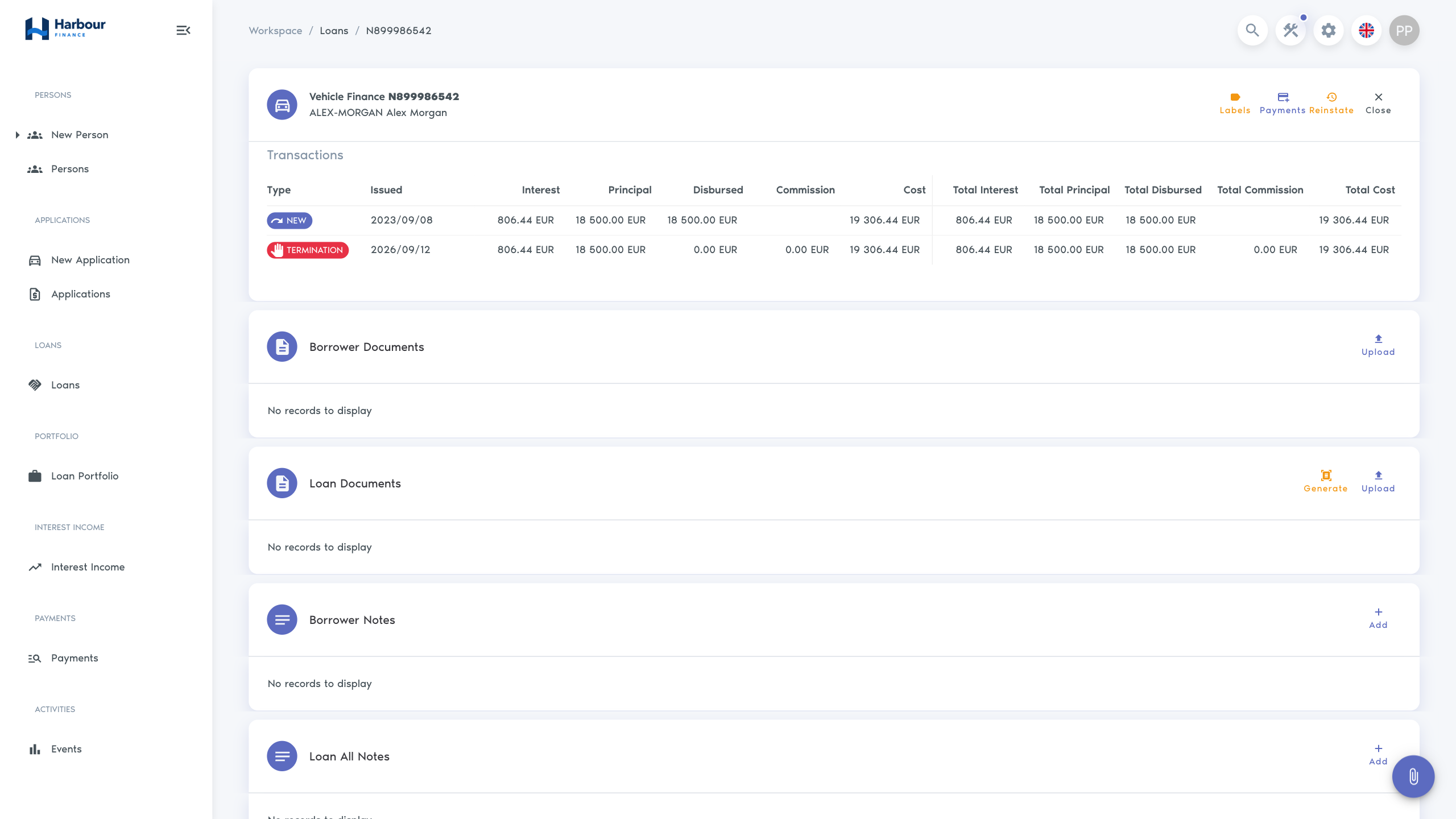
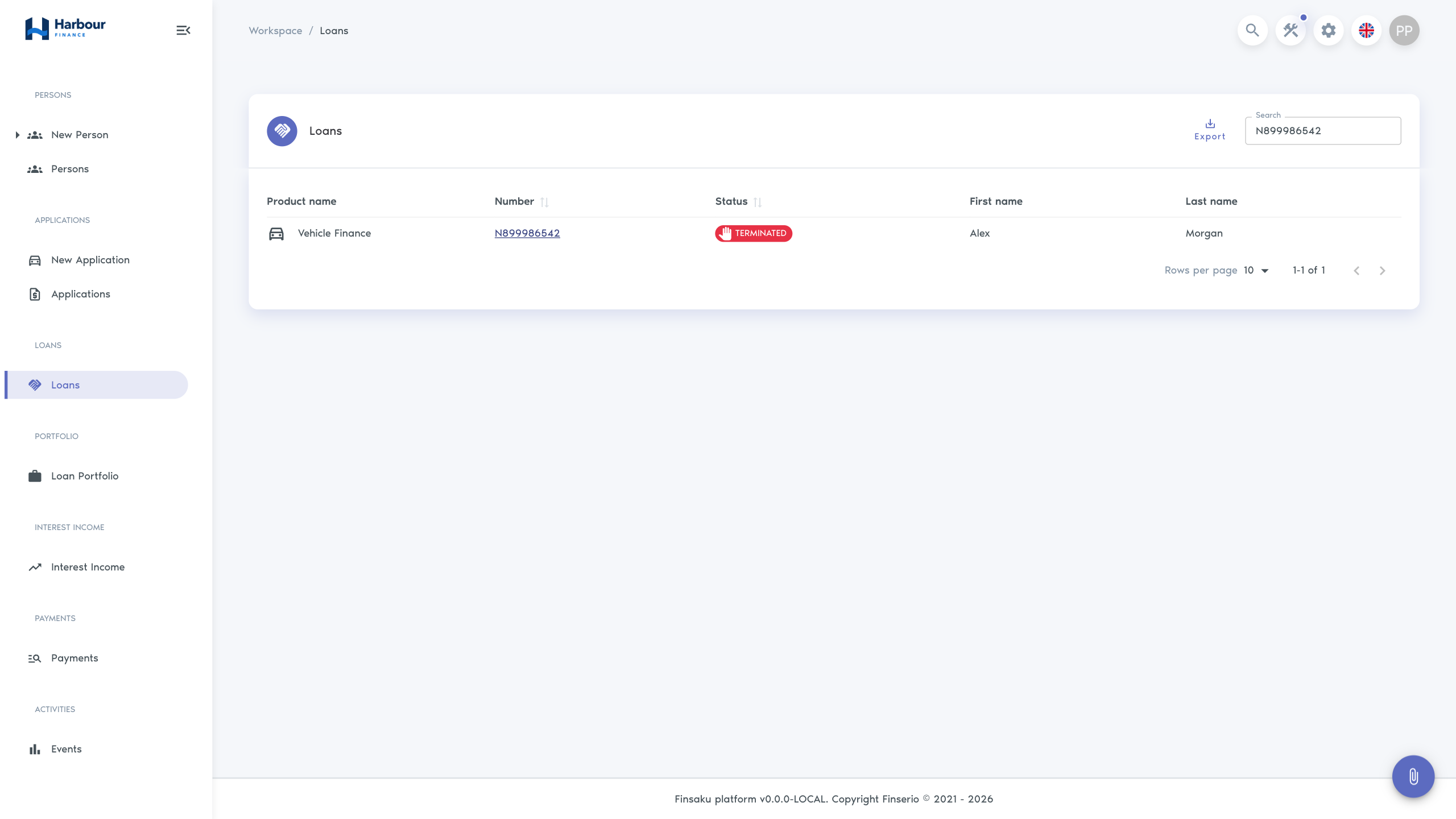
- After returning to the loan, confirm Terminated in the Loans list, the effective end date, and a Termination entry in Transactions. Open that transaction to inspect the resulting schedule, then review History and the remaining amounts due. Payments can still be recorded against a terminated loan.
If the request fails or the result is unclear, reopen the loan and check its status, transactions, and history before retrying. Correct any field or calculation errors first; do not submit another termination if the first one already completed.
Reinstate a loan
Reinstatement returns a Terminated loan to Active through a linked reinstatement application. It recalculates the schedule and adds a transaction to the same loan. It does not erase the termination or automatically restore every earlier term or date.
- Open the Terminated loan from Workspace → Loans. Review the termination transaction, payments received since termination, outstanding amounts, and the agreed terms for resuming the loan.
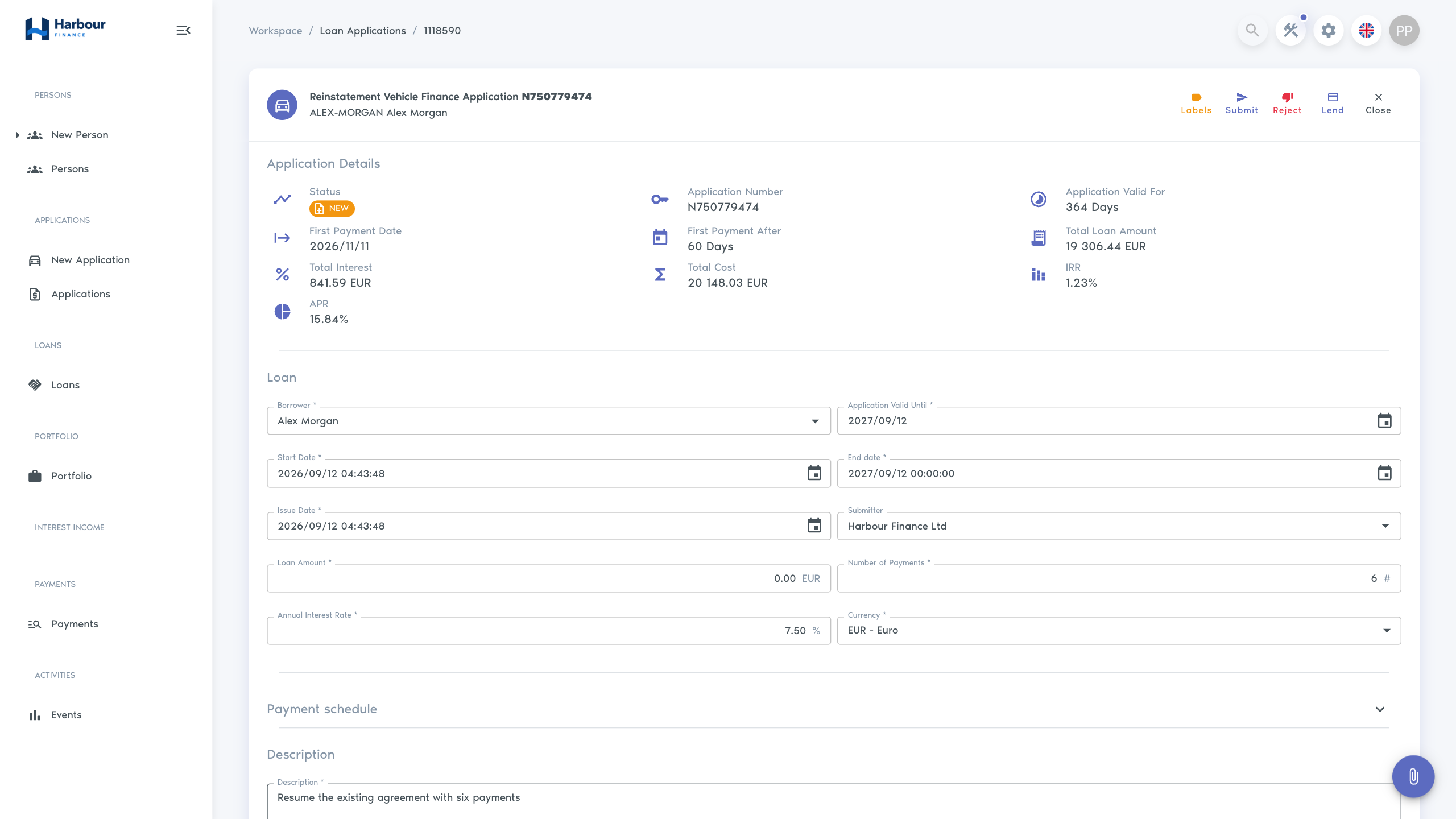
- Select Reinstate. Confirm that the application heading identifies Reinstatement and the expected borrower and product.
- Set Issue Date to the reinstatement's effective date and time. Review the carried-forward dates, rate, Number of Payments, and other editable product fields. Loan Amount initially represents zero additional lending; check any proposed increase against the agreed terms.
- Wait for the recalculated summary and Payment schedule. Check the principal carried forward, interest, charges, instalment amounts, and due dates. Do not proceed if the schedule or carried-forward dates are inconsistent with the intended agreement.
- Select Save to retain a draft or Submit to continue processing. Complete the review steps shown for the application's status and configured decisions. A saved reinstatement application can offer Lend directly; complete the required organisational approval before using it.
- Select Lend when authorised to complete the reinstatement. Here, Lend applies the reinstatement to the existing loan. Saving, submitting, or approving the application alone does not restore the loan to Active.
- Confirm that the application is Issued, the same loan number remains in use, and the loan is Active in the Loans list. Check the Reinstatement transaction, its schedule and dates, current balances, and History. The earlier termination should remain in the transaction history.
If an application is already in progress, open it with the loan's Edit action instead of starting another. If processing fails, correct the reported validation or decision issue and review the saved application before retrying. A rejected or unfinished reinstatement application does not by itself reactivate the loan.
The Reinstate action on a rejected or expired application is a separate workflow: it returns that application to processing. It does not reinstate a terminated loan. See Application review and processing.
Loan renewal
Loan renewal is not currently an available Finsaku loan workflow. The loan page does not offer Renew, so there is no supported renewal procedure or automatic replacement loan to verify.
For an amendment to an Active agreement, use Change a loan. To resume a Terminated agreement, use Reinstate a loan. If your organisation requires a separate agreement, follow its approval process and create a new application. A new application creates a separate loan only after Lend; it does not automatically close, renew, or settle the earlier loan.
When an action is unavailable
An unfinished action application hides the loan's action buttons and Payments. Open the existing application with Edit and resolve it before starting another action. If no application is in progress, check the loan status and your permissions: Terminate is offered for Active loans, while Reinstate is offered for Terminated loans. Repaid, expired, ceded, and written-off loans do not expose this reinstatement action.
If the loan action opens but its final processing button is missing, ask an administrator to check your application-processing permissions. If the form cannot calculate, have the product administrator check the selected calculator and required fields before retrying. Missing Renew or Cancel buttons reflect the current loan workflow, rather than a permission that can enable them.
Check a loan action before saving
- confirm the correct loan and borrower;
- review recent payments and pending allocations;
- check whether another change is already in progress;
- record the reason and supporting evidence in the appropriate fields or documents;
- review triggered documents, messages, and integrations after completion.
Do not edit party information or add a note merely to simulate a contractual change. Those operations do not update the loan terms or lifecycle status.