Portfolio and income views
Portfolio, payment, and interest-income views are saved queries over finance records. Your organisation configures their columns, filters, definitions, and export access.
- For
- Operations managers, analysts, and authorised users reviewing portfolio, payment, or interest figures.
- Requires
- Access to the relevant saved query and separate export permission when a workbook is needed.
- Available when
- The corresponding Loan Portfolio, Payments, or Interest Income query is published to Workspace.
- Before you begin
- Agree the view definition, effective date or range, filters, currency treatment, columns, and comparison basis.
- Expected result
- The result or export can be reproduced from the recorded query, date, filters, columns, and user scope.
Open a reporting view
Choose Loan Portfolio, Payments, or Interest Income from Workspace when the corresponding saved query and permission are available. The displayed columns, initial sort, filters, and export option are configured by your organisation.
Use either the view's filters or global search criteria for the current result. Clear the active search when you need to return to structured filters. Finsaku can preserve selected criteria in the page URL, so check the controls rather than assuming that a shared link is unfiltered.
Loan Portfolio
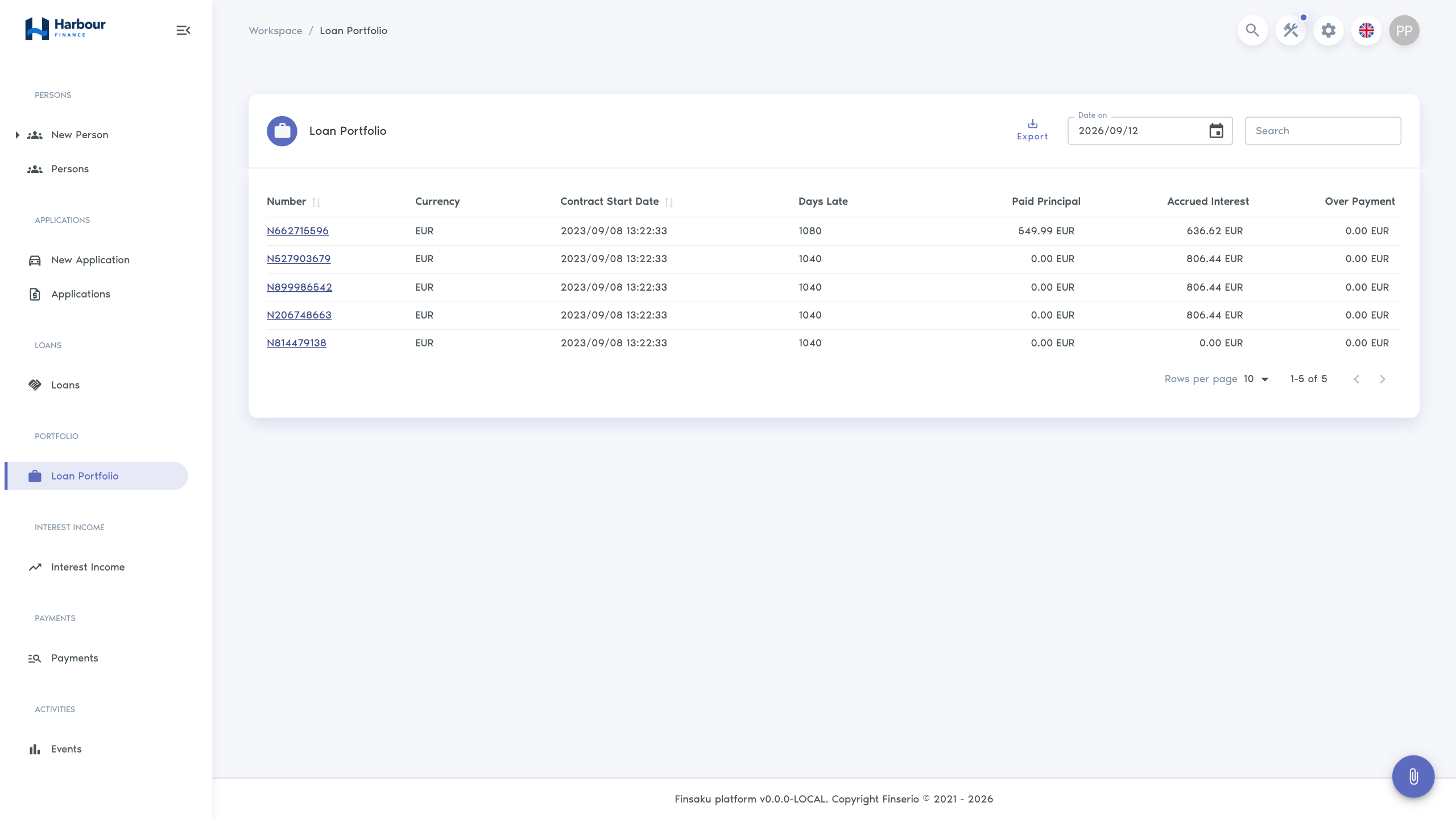
The portfolio view can show loan status, borrower, product, original terms, current principal, overdue amounts, next payment, or other configured measures. Select Date On to view the position as at a specific date.
Use the same date and filters when comparing two exports. A loan created, changed, paid, terminated, or recalculated after the selected date can change today's view without changing the historical selection in the same way.
When no date is supplied, the view initially uses the end of the previous month. Confirm Date On before interpreting totals or exporting.
Payments
Use the cross-loan Payments view to find a receipt by date, payer, loan, amount, type, or another configured column. Open the row to inspect its distribution on the loan; a list total does not explain how each payment was allocated.
Payments also uses Date On and initially selects the end of the previous month when no date is supplied. A row opens the related loan so you can compare the receipt with its allocation and schedule.
Interest Income
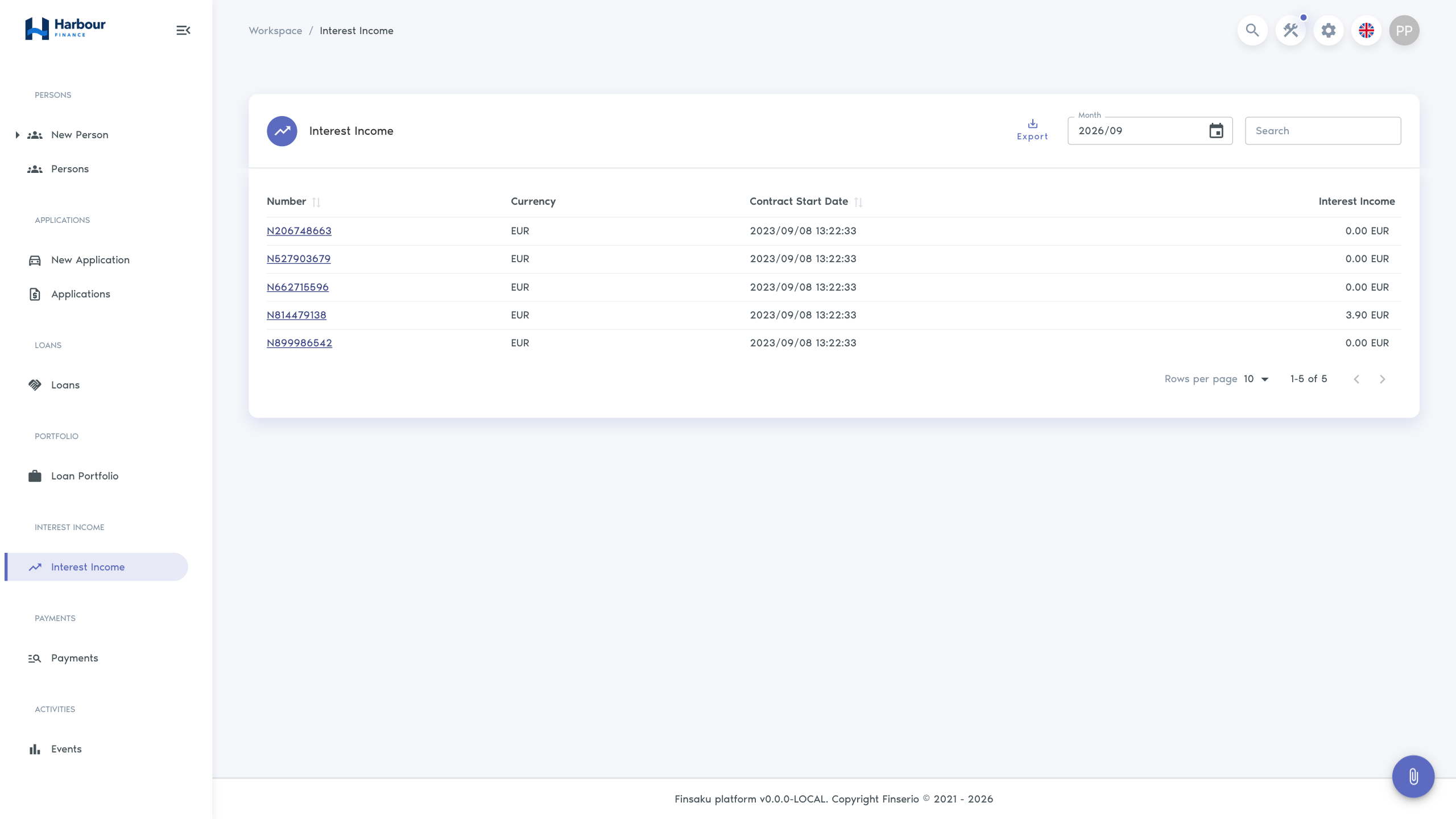
Interest Income uses a selected month or date range. It can expose calculated interest measures by loan or another configured grouping. Confirm whether the view represents accrued, due, or paid interest from its column names and your organisation's query definition.
Choose a month when the view offers monthly selection, or set Start Date and End Date for an explicit period. With no supplied period, the start initially uses the beginning of the previous month. Confirm both boundaries before comparison; a month label and an arbitrary date range are not interchangeable.
Filter and inspect results
- Confirm the view name and selected date or range.
- Apply the narrowest useful filters, such as product, status, borrower, payer, or record number where configured.
- Check the row count and currency columns before interpreting a total.
- Open representative rows and compare them with the current loan, schedule, and history.
- Export only after the displayed result matches the intended population.
Changing filters or dates refreshes the result. The export uses the current saved query, date or range, and active criteria; it does not export a separate unfiltered population.
Compare two reporting periods
Use the same saved view, column definition, currency handling, and filters. Record both effective dates or ranges with the exported files. Explain changes by opening the affected loans and checking lending, payments, recalculation, loan actions, and history rather than inferring the cause from a changed total alone.
These operational views use tenant query configuration and Finsaku calculations. Use General ledger to inspect posted transactions and ledger balances. Match the dates, currencies, and scope before comparing the two.
For investigation by recorded event rather than financial period, use Activity and audit history.
Check an export before sharing
- verify the selected date, range, filters, currency, and row count;
- keep the column headings with the data;
- do not combine totals across currencies without an approved conversion method;
- treat exported personal and financial data as controlled information;
- return to Finsaku for the current record rather than relying on an older file.
Troubleshooting
| Symptom | Check |
|---|---|
| A view is missing | Saved-query location and visibility, user permission, and active group membership. |
| Results differ from a colleague's | Date or range, active filters or search, affiliation restrictions, and query version. |
| A known loan is absent | Effective date, query conditions, loan status, product, and affiliation. |
| Export differs from the screen | Whether the date or filters changed before export and whether the file was opened with the correct locale and delimiter handling. |
| Interest figure is unclear | Column definition and whether it represents accrued, due, or paid interest. |