Document and message templates
Templates store reusable document, email, and SMS content for applications and loans. Users select message templates in record actions, invoice settings can select an email template, and configured event actions can generate product documents.
Use Set up documents and communications for the complete product-to-output workflow. The reference below explains the individual template types and dependencies.
- For
- Administrators maintaining customer documents and messages.
- Requires
- Template administration permission and the enabled Document Generation, Email, or SMS provider required by the template.
- Available when
- A product, record action, invoice setting, or event action can select the template type.
- Before you begin
- Prepare representative sample data, supported languages, optional empty values, long values, and the approved recipient context.
- Expected result
- The preview and generated output resolve the correct wording, values, format, recipient, and attachments.
Prerequisite: set up provider integrations
Provider configuration is a prerequisite for generated output and message delivery. Open Administration → Integrations, select Add Integration, and configure the types used by the product:
| Use | Required configuration |
|---|---|
| Generate a PDF or DOCX | Enabled Document Generation integration using Docugenerate, plus the document template. |
| Send email manually | Enabled Email integration using Mailgun or Amazon SES. The email template itself is optional. |
| Generate and attach a document to email | Enabled Email and Document Generation integrations, plus the selected document template. |
| Send SMS manually | Enabled SMS integration using Text2Reach. The SMS template itself is optional. |
| Automatic invoice email | Product invoice settings, email template, enabled Email integration, and recipient data. |
| Event-triggered message or document | Matching event action plus every provider and template dependency required by its action. |
The Document Templates product section is unavailable without an enabled Document Generation integration. Email and SMS templates can be authored without their delivery providers, but they cannot pass a delivery test. See Integrations for provider settings, environment checks, sender configuration, and enablement.
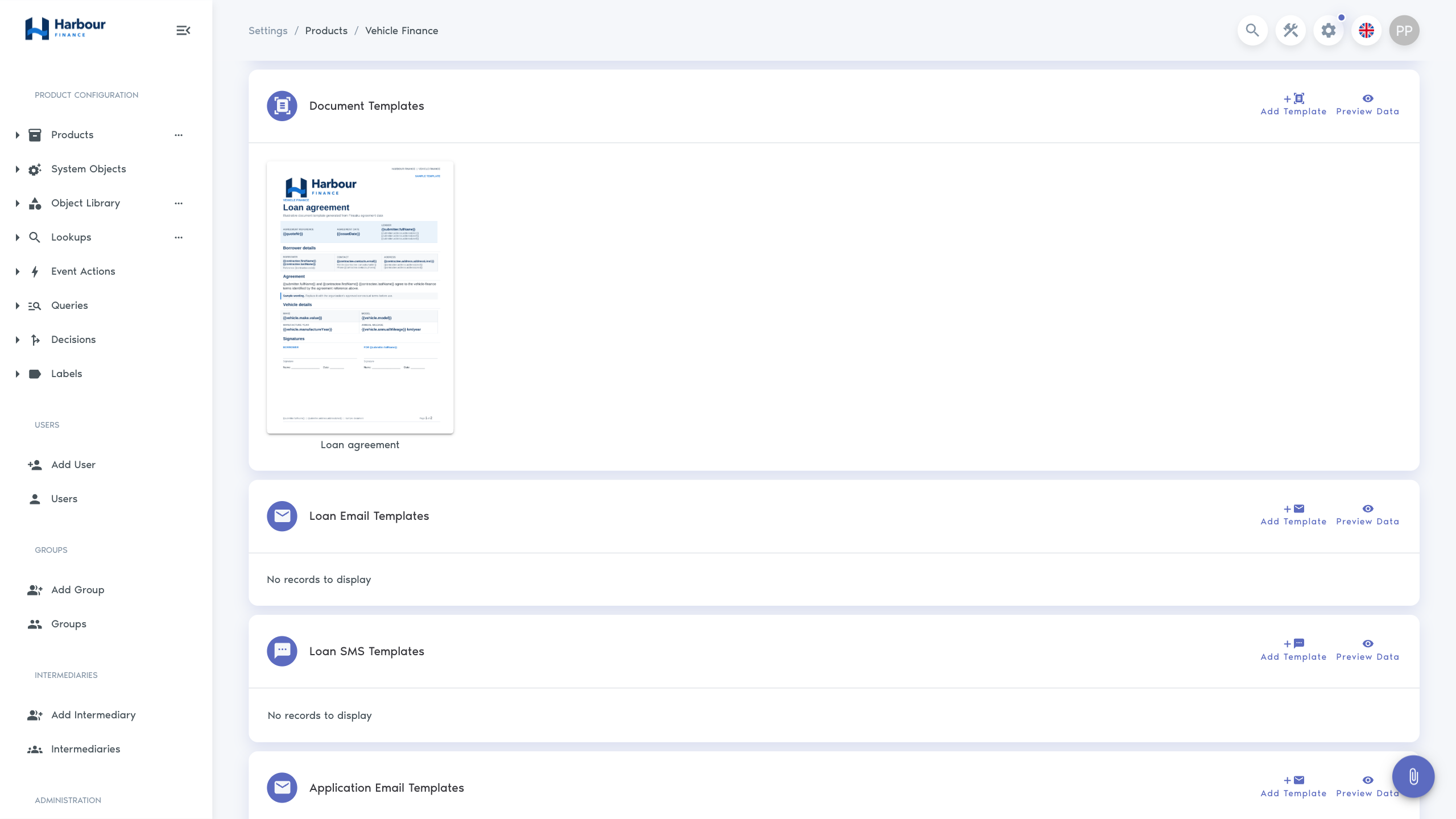
Document templates
Document templates are available when an enabled Document Generation integration exists. An administrator can upload, view, update, download, and delete a template and can inspect sample data used to build its placeholders.
At generation time, the user can choose PDF or DOCX and can attach the result to the record. Templates should be tested with missing optional values, long names and addresses, multiple repeated objects, large amounts, and each supported language.
Keep legal wording and layout approval outside the template's technical publication step. Updating a template changes later generated documents; it does not update files that were already generated and stored.
Email templates
Application and loan email templates are maintained separately. A template can define:
- name and subject;
- formatted message content;
- generated document templates to attach;
- application or loan context for resolving data.
The email editor uses structured message markup. Preview the rendered result rather than relying only on the editing view. Check the subject, sender, recipient defaults, links, dates, amounts, generated attachments, and fallback when optional data is absent.
SMS templates
Application and loan SMS templates contain plain text. Keep the content understandable without formatting. The sending form uses a 160-character guide, but substituted names, amounts, or links can increase the final length.
Do not place confidential application details in a template unless the organisation has approved that channel and content. Include enough context for the recipient to identify the purpose without exposing unnecessary information.