Set up integration partners
- Time
- About 20 minutes
- You need
- Integration administration permission and approved provider accounts, credentials, endpoints, and sender details.
- Result
- Enabled document-generation, email, and SMS integrations, ready to test through the communication quickstarts.
Add an integration
Confirm the provider environment, credential owner, sender identity, and how secrets will be rotated.
For each provider below:
- Open Administration → Integrations and select Add Integration.
- Select the Type and Provider.
- Enter a unique Name that identifies the provider and environment.
- Complete the minimum settings in the table below. Enter secrets only in the integration form.
- Set Enabled when the endpoint, credentials, sender, and dependent configuration are ready.
- Select Done, reopen the integration, and confirm its Type, Provider, Name, and enabled state.
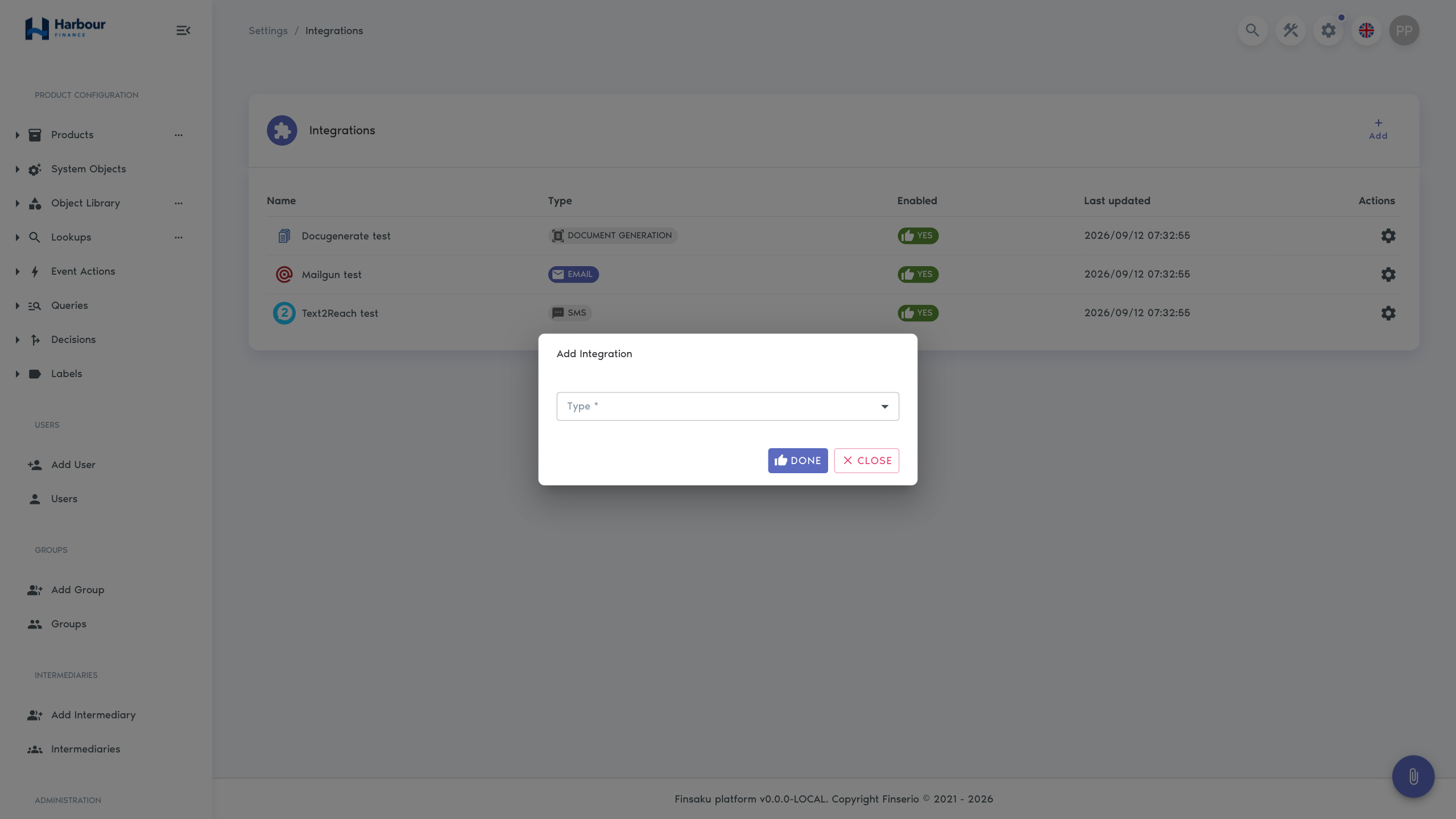
Provider settings
| Output | Type and provider | Minimum settings | Dependency to confirm |
|---|---|---|---|
| Agreement document | Document Generation → Docugenerate | API URL, API key | The provider account can accept Finsaku's document templates and intended output formats. |
| Approval email | Email → Mailgun | API URL, API key, Domain, Sent from | The sending domain and sender are configured in Mailgun. |
| Approval email | Email → Amazon SES | Environment, Sent from, Access key ID, Secret access key; Base URL for Custom | The sender is verified and the selected SES environment is the intended one. |
| Approval SMS | SMS → Text2Reach | API URL, API key, Sent from | The provider account permits the sender name or number and intended recipient format. |
Use either Mailgun or Amazon SES for this workflow. An email with a generated agreement requires both the enabled Email integration and the enabled Document Generation integration.
The integration list should now show the chosen names and Enabled state. That is enough to continue to Set up documents and communications; generation and delivery are confirmed from the consuming workflow, not from the settings form.
Finsaku continues to expand the providers available for each integration type. The choices shown in your tenant can therefore differ from this tutorial.
Troubleshooting
| What you see | Check |
|---|---|
| A provider is unavailable | The selected integration Type and whether that provider is supported for the tenant. |
| An integration cannot be enabled | Every mandatory field, the selected environment, and whether a Custom environment needs an additional endpoint. |
| A provider does not appear in a template or action | The integration is enabled and its type matches the consuming feature. |
Use Integrations for provider-specific operation, dependencies, and delivery checks.