Product settings
A product contains the lending identity, calculator, invoice behaviour, collected data, templates, and automation for an offer.
- For
- Product administrators configuring a lending offer.
- Requires
- Product administration permission and any calculator, template, or integration dependencies. A product group is optional.
- Available when
- The tenant supports the Lending product type.
- Before you begin
- Agree the ID code, displayed name, currencies, calculator, invoice treatment, collected data, and allowed operations.
- Expected result
- The product is selectable in the intended menu and produces the tested fields, calculation, content, and actions.
Basic settings
| Setting | Purpose |
|---|---|
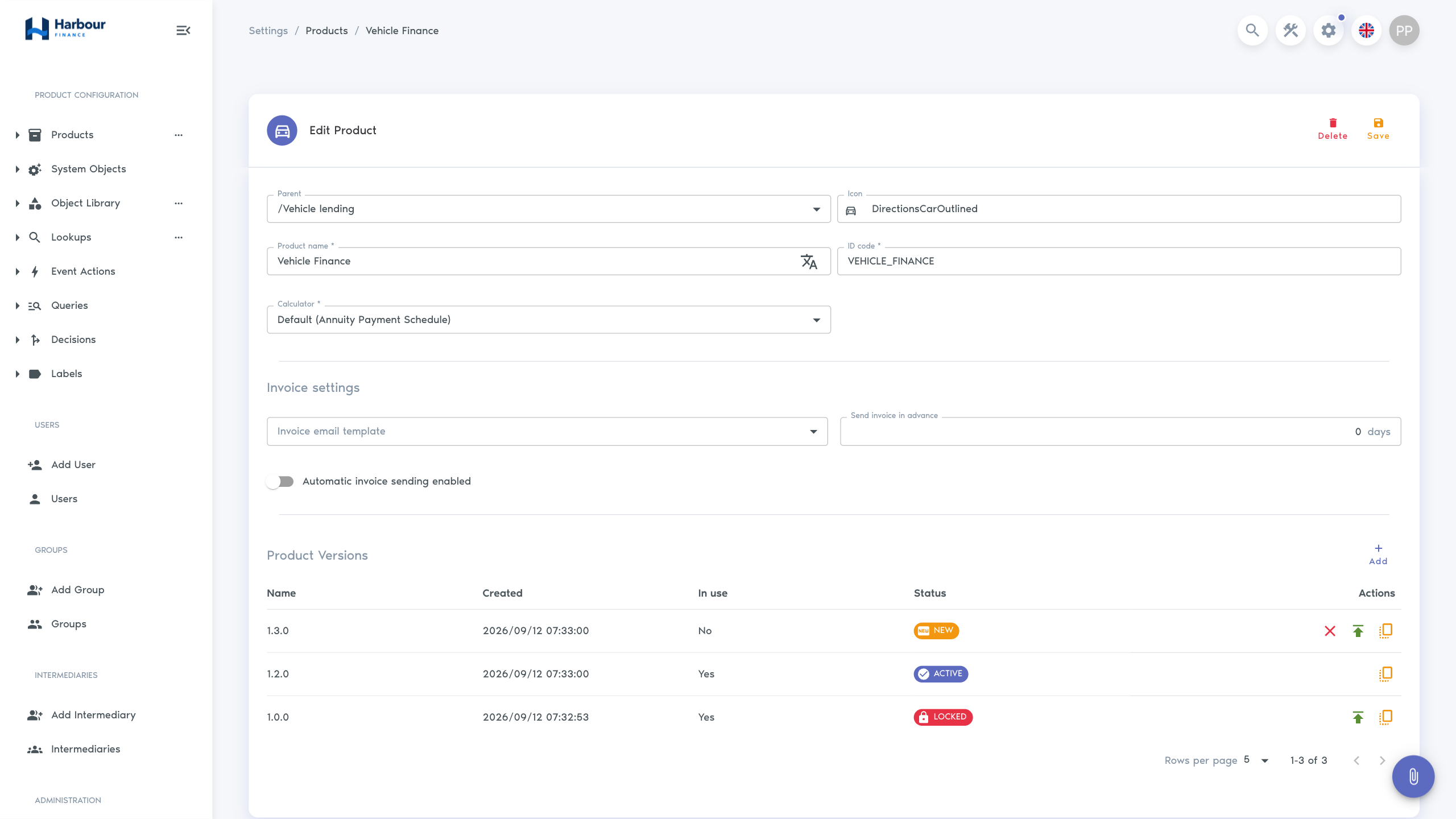
| Parent | Select / to place the product at the root, or select a product group to place it within that group. |
| Icon | Identifies the product in lists and selectors. |
| Product name | User-facing name; translations can be maintained where enabled. |
| ID code | A unique code that configuration and integrations use to identify this product. Keep it stable after use begins. |
| Product type | Select Lending for a Finsaku lending product. |
| Calculator | Selects the standard calculation method or an enabled external calculator. |
Before changing a calculator, assess existing applications and loans and test equivalent terms, dates, rounding, commission, and schedule totals.
Grouping is optional. To create a product at the root, open Admin Area, open the Products more-actions menu, select Add Product, and set Parent to /. Complete the required fields and select Add.
Use a group when you want related offers together in the Administration tree and in the product choices used to start an application. Selecting Add Product from a group's more-actions menu preselects that group in Parent. See Product groups for maintaining the hierarchy.
Calculator options
| Option | Result pattern |
|---|---|
| Annuity | Generally level principal-and-interest payments with a changing split. |
| Amortised | Generally level principal with declining total payments. |
| Enabled Loan Calculator integration | Calculation returned by the selected external service. |
External calculator names appear only when an enabled integration is configured. Disabling it can prevent affected products from calculating new work.
Invoice settings
Invoice settings select the email template, the number of days before the due date to send it, and whether sending is automatic.
Automatic sending requires an enabled email provider and a usable recipient address. Test the generated invoice, subject, dates, amounts, attachments, and resend behaviour before enabling it. Changing the lead time affects when future scheduled messages are selected; it does not prove that earlier invoices were sent.
Product content
A product can also contain:
- application and loan data objects;
- document templates;
- application and loan email templates;
- application and loan SMS templates;
- product-level event actions;
- versions, when the tenant enables product versioning.
Create dependent content only after the product name, Parent, and ID code are agreed. Use Versions and data collection and Document and message templates for the detailed options.
Follow Set up a lending product to create the first catalogue group and product, then verify it from New Application.