Decisions
A decision evaluates configured conditions for loan applications. When the conditions match, it runs the selected application operation and any configured field changes. Base each decision on the organisation's approved lending process.
- For
- Administrators configuring automated application decisions.
- Requires
- Decision administration permission and an approved rule with a defined trigger and outcome.
- Available when
- The trigger operation and referenced application fields exist in the tenant.
- Before you begin
- Write test cases for a matching application, a non-matching application, empty values, and overlapping decisions.
- Expected result
- The decision applies its configured operation and field changes only when its condition matches.
What a decision changes
A decision is application-processing automation. It evaluates a condition and, on a match, performs the configured application operation and field changes. Its result can therefore change the application's status or data.
An event action reacts to a recorded event by sending a webhook or message or by generating a document. An enrichment stores information returned by an external service. Neither is a substitute for the decision rule, even when all three appear in the same lending workflow. See Core concepts and statuses for the complete relationship.
Trigger types
| Trigger | When it evaluates |
|---|---|
| Scheduled | According to the configured schedule expression. |
| Application operation | When the selected application action occurs. |
A decision has a translated name, trigger, operation to execute, conditions, and optional application field changes. Operation choices follow the available application actions, such as submit, approve, reject, expire, clarify, or another configured lifecycle operation.
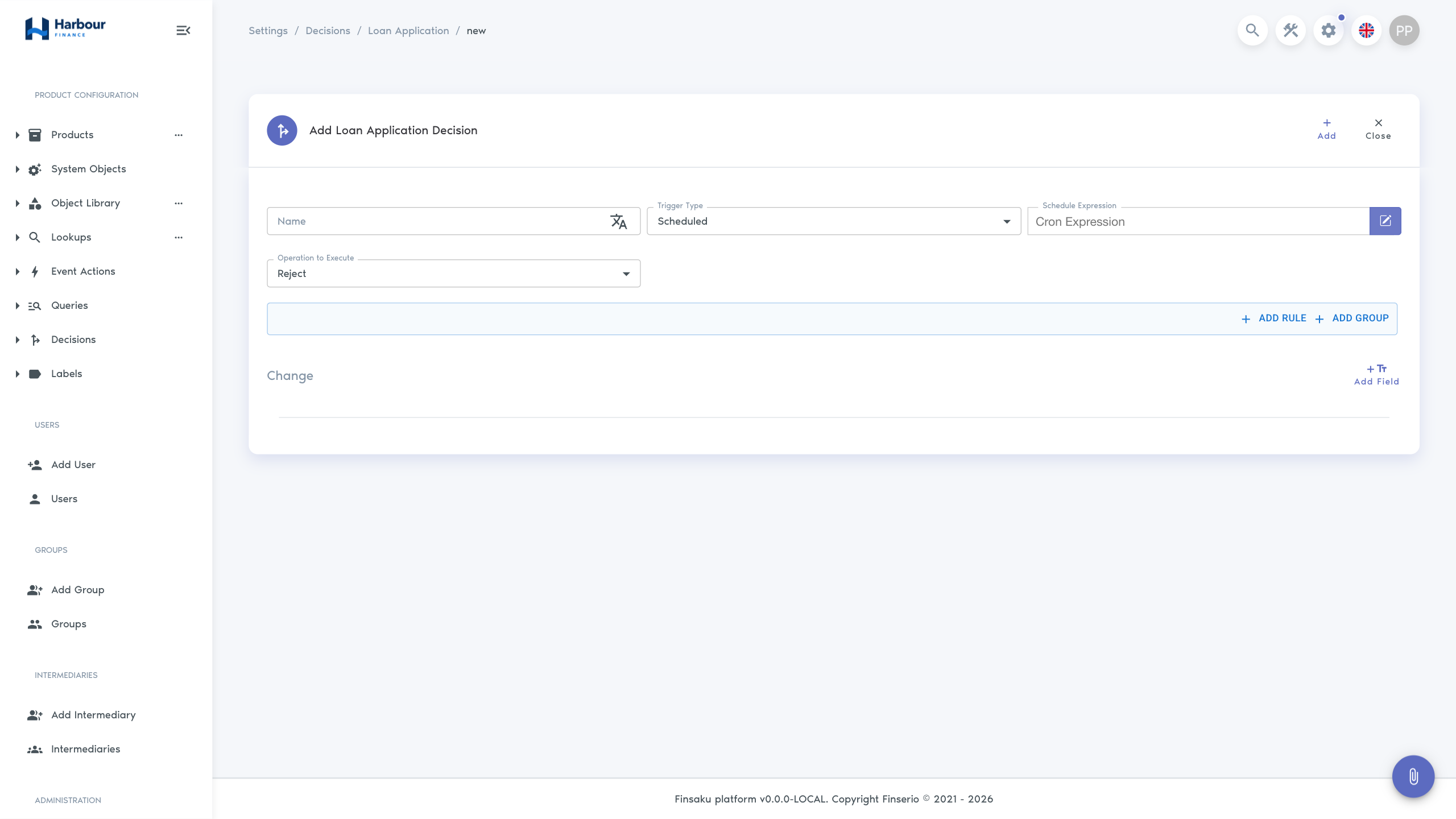
Decision evaluation
Conditions and changes
The condition builder uses record fields, comparisons, and nested rule groups. Build the condition from explicit business rules and account for empty or unavailable values. Field changes select an application field and the value to apply when the decision runs.
Avoid using a field both as an unclear trigger and as a side effect without documenting the intended sequence. Several decisions that can apply to the same application need test cases for overlap and conflicting outcomes.
Scheduled decisions
The schedule expression defines when Finsaku looks for applicable records. Record the business time zone and expected frequency alongside the rule. Test records just before and after the date or time boundary, and confirm that repeating the schedule does not incorrectly repeat a completed operation.
Operation-triggered decisions
Choose the application operation that starts evaluation and the operation to execute when conditions match. Test both matching and non-matching applications and verify the final status, changed fields, notes or history, and any event actions triggered by the resulting operation.
Change control
Use Copy to prepare a revised rule without losing the known definition. Before enabling or replacing a decision, test representative approvals, rejections, boundary values, missing data, multiple currencies or products where applicable, and users with different permissions. Record the effective date and rule owner.